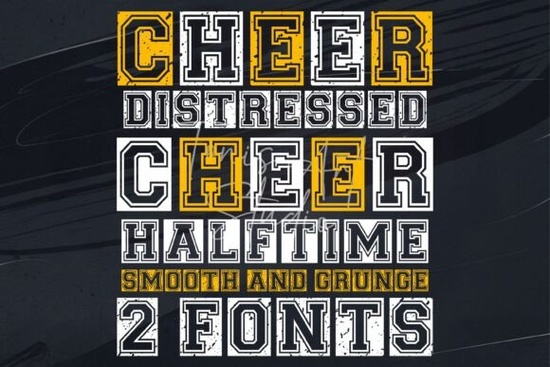
If you're creating spirit wear, game day posters, or cheerleading graphics, having the right typography can make all the difference. The Cheer Font bundle officially called the Cheer Distressed & Cheer Halftime Font is built specifically for high-energy sports design. It combines two complementary varsity styles: one with a rough, grunge texture for that battle-ready look, and another smooth version that keeps things clean and classic. Whether you're designing for a high school pep rally or custom team jerseys, this font set brings boldness without sacrificing readability.
What makes this bundle especially useful is how versatile it is across platforms. You can use it seamlessly in Cricut Design Space, Silhouette Studio, Canva, Procreate, Photoshop, and Illustrator. That means whether you're cutting vinyl, printing sublimation shirts, or crafting digital social media posts, the Cheer Font works right out of the box. No extra plugins or conversions needed.
Why choose a distressed + smooth font combo?
Using both versions together gives you creative flexibility. For example:
- Use the distressed variant for headlines on banners or T-shirts where you want to convey grit and intensity.
- Switch to the smooth halftone style for player names, schedules, or secondary text that still needs to feel athletic but remain easy to read.
This layered approach mimics real-world sports branding think of how professional teams often pair rugged logo fonts with cleaner supporting typefaces. With the Cheer Font, you get both in one download, saving time and ensuring visual harmony.
Who is this font best for?
The Cheer Font shines for anyone involved in school spirit or local sports culture:
- Crafters making custom tumblers, hoodies, or locker signs for cheer squads.
- Print-on-demand sellers building seasonal collections around football season or homecoming.
- Small athletic programs needing affordable, DIY-friendly branding for uniforms or event flyers.
- Graphic designers working on client projects like booster club merch or tournament posters.
Because it’s fully editable and includes standard characters (plus extras like numerals and punctuation styled for sports), you won’t hit limitations when personalizing designs.
How does it compare to other varsity fonts?
Not all sports fonts deliver the same balance of authenticity and usability. Some lean too cartoonish; others lack texture variety. If you’ve liked fonts like Golden Varsity for its retro appeal or Summer Vintage for laid-back nostalgia, the Cheer Font offers something different: focused energy. It’s less about vintage charm and more about present-moment intensity perfect for Friday night lights or championship season.
Similarly, while Vila Valent brings elegant flair and Emoren leans into modern minimalism, the Cheer Font stays firmly in the arena. And if you’re exploring options in the cheer font display fonts category, this bundle stands out by offering two ready-to-pair styles instead of just one.
For reference, you can see the original listing on Creative Fabrica: Cheer Font.
Tips for getting the most out of your download
Once you’ve installed the Cheer Font, try these practical ideas:
- Layer both versions: Place the smooth font as your base text and overlay key words (like “CHAMPIONS” or “GO TEAM”) in the distressed style for instant visual hierarchy.
- Adjust spacing carefully: Varsity fonts often look best with slightly tighter letter spacing especially in uppercase. Most design apps let you tweak this under “character” or “text” settings.
- Pair with solid colors: Navy, red, white, or black backgrounds make the texture pop. Avoid busy patterns that compete with the font’s detail.
- Test print before bulk production: The distressed effect may appear heavier on some printers or cutters. Do a small test run to ensure legibility at your final size.
Whether you’re outfitting a squad for regionals or selling fan gear online, the Cheer Font gives you authentic athletic styling without the learning curve. It’s straightforward, platform-friendly, and built for real-world use not just pretty mockups.
Before you start your next project, check this quick list:
- ✅ Confirm your software supports .OTF or .TTF files (most do).
- ✅ Decide which version distressed or smooth fits your primary message.
- ✅ Save a style guide with your chosen font pairings for consistency across posters, apparel, and digital posts.
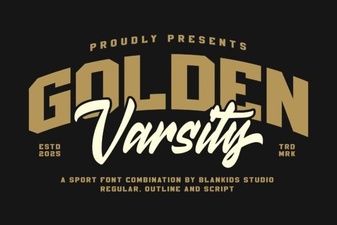 Golden Varsity Font Design: Inspiration & Applications
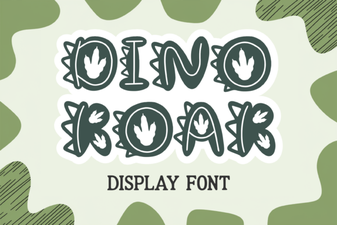 Dino Roar Font: Design & Project Inspiration
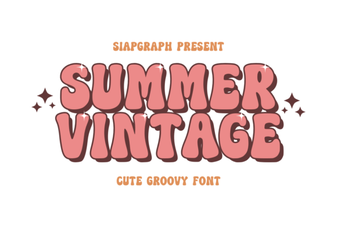 Vintage Summer Fonts for Retro Designs
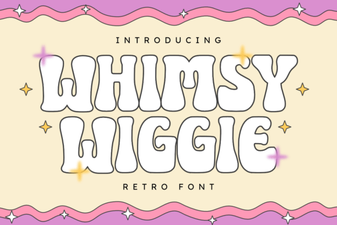 Unleash Creativity with the Whimsy Wiggle Font
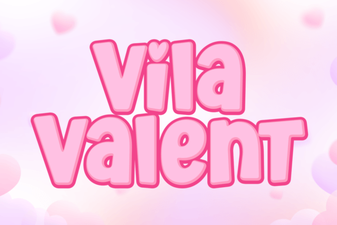 The Vila Valent Font: Design & Creative Applications
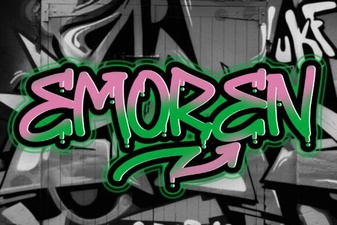 Emoren Font: Creative Typography for Modern Projects