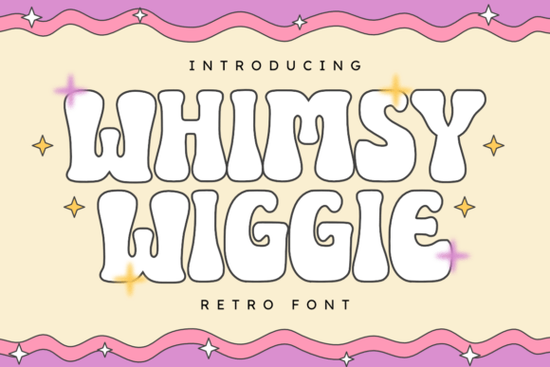
If you're working on a project that calls for a little retro charm and a lot of personality, the Whimsy Wiggle Font might be exactly what you need. With its wavy edges and cheerful bounce, this display font captures the playful spirit of 1970s design think groovy posters, funky album covers, and sun-drenched summer festivals. It’s not just nostalgic; it’s versatile enough for modern branding, event invites, or even print-on-demand merchandise that stands out.
What makes Whimsy Wiggle work for creative projects?
Unlike clean, minimalist fonts, Whimsy Wiggle leans into imperfection with intentional wiggles and soft curves that feel handcrafted. This gives your designs warmth and approachability ideal if you’re promoting a music festival, a retro diner pop-up, or a kids’ birthday party with a vintage twist. The font maintains readability while adding visual interest, so it works well as a headline or short phrase rather than body text.
Designers often pair it with solid sans-serifs or clean scripts to balance its energy. For example, you could use Whimsy Wiggle for a main title and complement it with something like the Vila Valent for subtitles a smooth, elegant contrast that keeps the layout cohesive.
Who should consider using this font?
- Print-on-demand sellers creating t-shirts, mugs, or stickers with fun, upbeat messaging.
- Small business owners designing social media graphics for seasonal promotions or local events.
- Crafters and hobbyists making custom invitations, scrapbook elements, or DIY decor.
- Graphic designers looking for authentic retro flair without leaning into clichés.
Because it’s a display font, Whimsy Wiggle shines in large formats think posters, banners, or product packaging. It’s less suited for long paragraphs or fine print, but that’s true of most stylized typefaces.
How does it compare to other playful display fonts?
Not all whimsical fonts are created equal. Some lean too cartoonish, while others feel stiff despite their “fun” label. Whimsy Wiggle strikes a sweet spot: it’s lively but not childish, retro but not dated. If you’ve used fonts like Cheer which offers bold, bubbly letterforms or the bouncy Dino Roar, you’ll notice Whimsy Wiggle has a softer, more organic rhythm.
For projects needing a slightly more structured retro vibe, you might also consider the Golden Varsity font, which channels 1950s–60s athletic aesthetics. But if your mood board includes lava lamps, disco balls, and psychedelic color palettes, Whimsy Wiggle fits right in.
You can explore how it stacks up against alternatives by browsing similar styles on Whimsy Wiggle.
Tips for using Whimsy Wiggle effectively
- Use sparingly. One or two words in Whimsy Wiggle often make more impact than a full sentence.
- Pair with neutral colors. Let the font’s shape shine by avoiding overly busy backgrounds.
- Adjust tracking if needed. Slight letter-spacing tweaks can improve legibility at smaller sizes.
- Test in context. Preview your design as it would appear on a T-shirt, poster, or Instagram story before finalizing.
Remember: the goal isn’t just to grab attention it’s to match the tone of your message. A yoga retreat promo probably won’t benefit from this font, but a neon-lit roller rink night? Perfect.
Where to get it and what’s included
Available through Creative Fabrica, the Whimsy Wiggle download typically includes both OTF and TTF files, compatible with major design software like Adobe Illustrator, Canva (via upload), Affinity Designer, and Silhouette Studio. Many users appreciate that it supports basic ligatures and stylistic alternates, giving you subtle variations to play with.
If you’re already building a font library for seasonal or themed projects, consider bundling it with complementary picks like Whimsy Wiggle itself (for consistency across campaigns) or exploring other era-inspired options in the display fonts category.
Before you finalize your purchase:
- Check the license most Creative Fabrica fonts include commercial use, but always verify based on your project scale.
- Preview the full character set to ensure it includes the symbols or accents you need.
- Install and test it in your usual workflow to confirm compatibility.
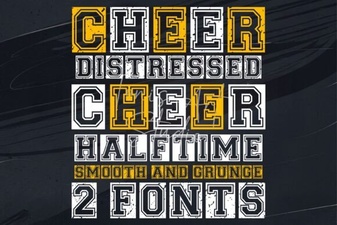 Fresh & Fun Cheer Font Styles for Creative Projects
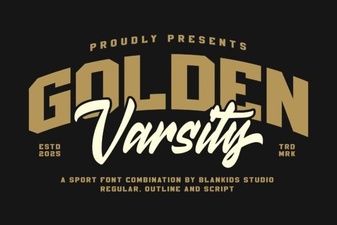 Golden Varsity Font Design: Inspiration & Applications
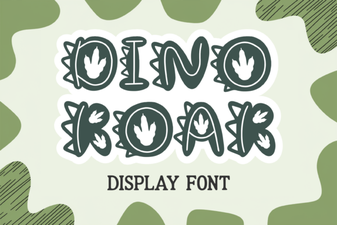 Dino Roar Font: Design & Project Inspiration
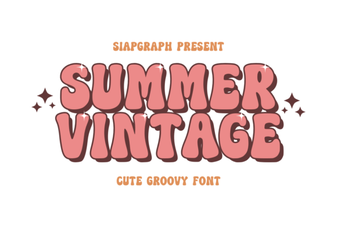 Vintage Summer Fonts for Retro Designs
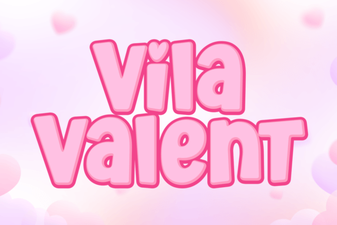 The Vila Valent Font: Design & Creative Applications
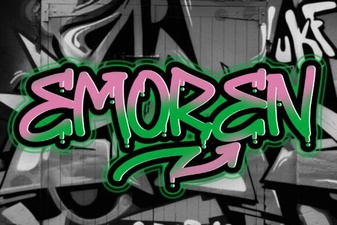 Emoren Font: Creative Typography for Modern Projects